IMMOBILIEN-PROFI
KI-CLUB: Langdock für Immobilienmakler (1)
Set up Langdock for property descriptions, Outlook mail and CRM data. Organize knowledge folders and configure a first assistant.
Real estate trainingCompare details →
A FOCUSED LEARNING GUIDE
The KI-CLUB comparison includes five distinct courses across Langdock setup, Vibe Coding, and office work. Choose by course task rather than treating the whole group as Langdock training.
Compare the selected options ↓Two courses focus on Langdock, two on Vibe Coding, and one on AI in a real estate agent's office work. The Langdock pair moves from setup toward CRM-connected assistants; the Vibe Coding pair moves from a basic app toward integrations. Compare each course separately for tools, requirements, and access.
These are advertised online seminars with separate tickets or registrations. Some access observations are historical, so confirm replay or upcoming seats. The sources do not establish instruction language; ask the provider rather than inferring it from German course titles.
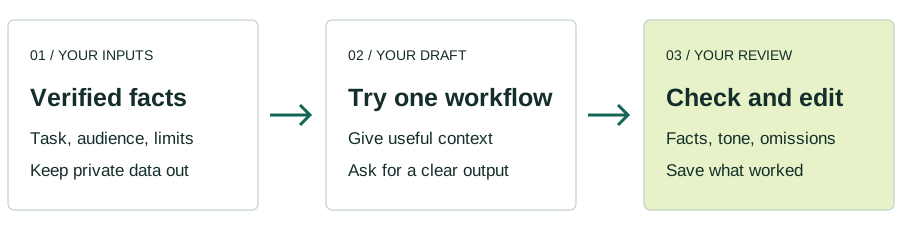
ILLUSTRATIVE EXAMPLE · FICTIONAL INPUTS
A fictional office wants to improve replies and later consider an internal property app.
For Langdock, map inquiry to reply. For Vibe Coding, define a small app; for office work, identify the routine the course covers.
Verify the exact course, prerequisites, date, language, and software connections. Not every KI-CLUB course uses Langdock.
Compare the advertised learning details on each profile. Confirm price, dates and eligibility with the provider.
IMMOBILIEN-PROFI
Set up Langdock for property descriptions, Outlook mail and CRM data. Organize knowledge folders and configure a first assistant.
IMMOBILIEN-PROFI
Configure CRM-connected agents for enquiry-to-reply workflows, adjust team permissions and tune prompts.
IMMOBILIEN-PROFI
Build a small real-estate app such as a commission calculator, owner questionnaire or property landing page. The course also covers safety and privacy limits.
IMMOBILIEN-PROFI
Extend an app with a database, onOffice or Propstack connection, team logins and permissions, and deployment; use AI-assisted checks to debug the build.
IMMOBILIEN-PROFI
Move from ChatGPT basics to property and social copy, custom property-profile, phone-script and process GPTs, image generation and automation.
Optional Google Analytics measures page visits. We remove search queries and URL fragments from Analytics. Your choice lasts 90 days.